Settings
Settings
Open the settings with the Settings link at the bottom of the main window. They are divided into four tabs. Save your changes with Save settings. Reset settings returns all settings to their default values.
The default settings suit most users. Change them only when you need to, for example when an authority requires a different signature type.
Signing
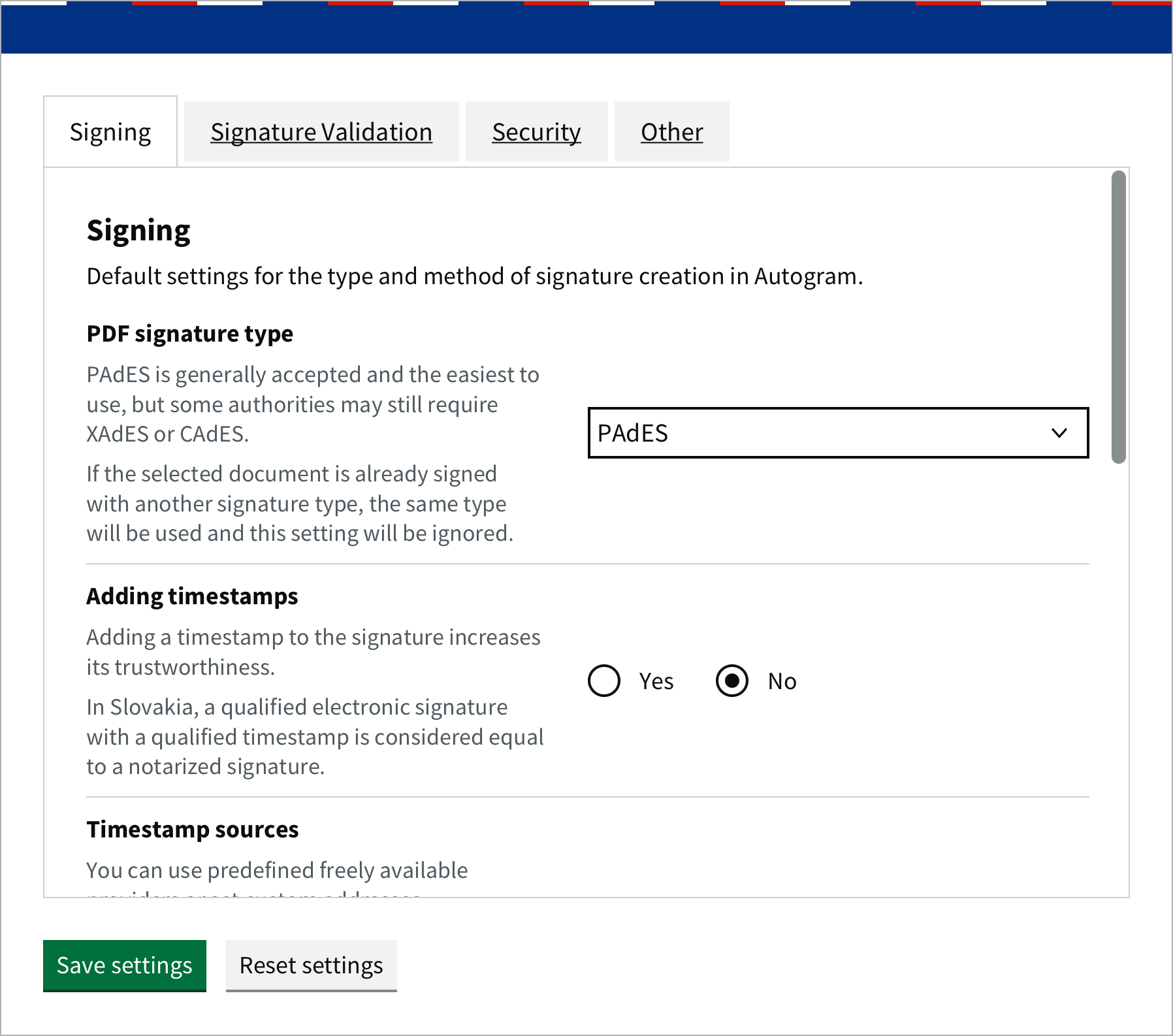
| Setting | What it does | Default |
|---|---|---|
| PDF signature type | How a PDF is signed: PAdES (signature inside the PDF), XAdES or CAdES (ASiC-E container). For an already signed document, the type of the existing signature is used. See Formats and signature types. | PAdES |
| Adding timestamps | Adds a qualified timestamp that confirms the signing time. In Slovakia, a qualified signature with a qualified timestamp does not have to be certified. Needs an internet connection. See Signature with a timestamp. | No |
| Timestamp sources | Where timestamps come from. By default, free qualified providers from Belgium and Spain. You can also enter your own addresses. | free providers |
| Custom TSP server addresses | Addresses of your own timestamp providers; separate several with commas, without spaces. | empty |
| Force bulk signing | When you select several documents, Autogram does not ask for the signing mode and signs them in bulk, without showing them. | No |
| Automatic disconnection during inactivity | After how many minutes of inactivity the connection to the card is closed. You then enter the PIN again. | 5 |
| Signing unknown XML | Allows signing XML files that are not Slovak government forms. | No |
| Using new ETSI standard | Signing according to ETSI EN 319 132 and ETSI EN 319 122. Public administration systems mostly do not support it. | No |
For a timestamp to be recognised during validation, its provider must be qualified and its country must be turned on in the Signature Validation tab.
Signature Validation
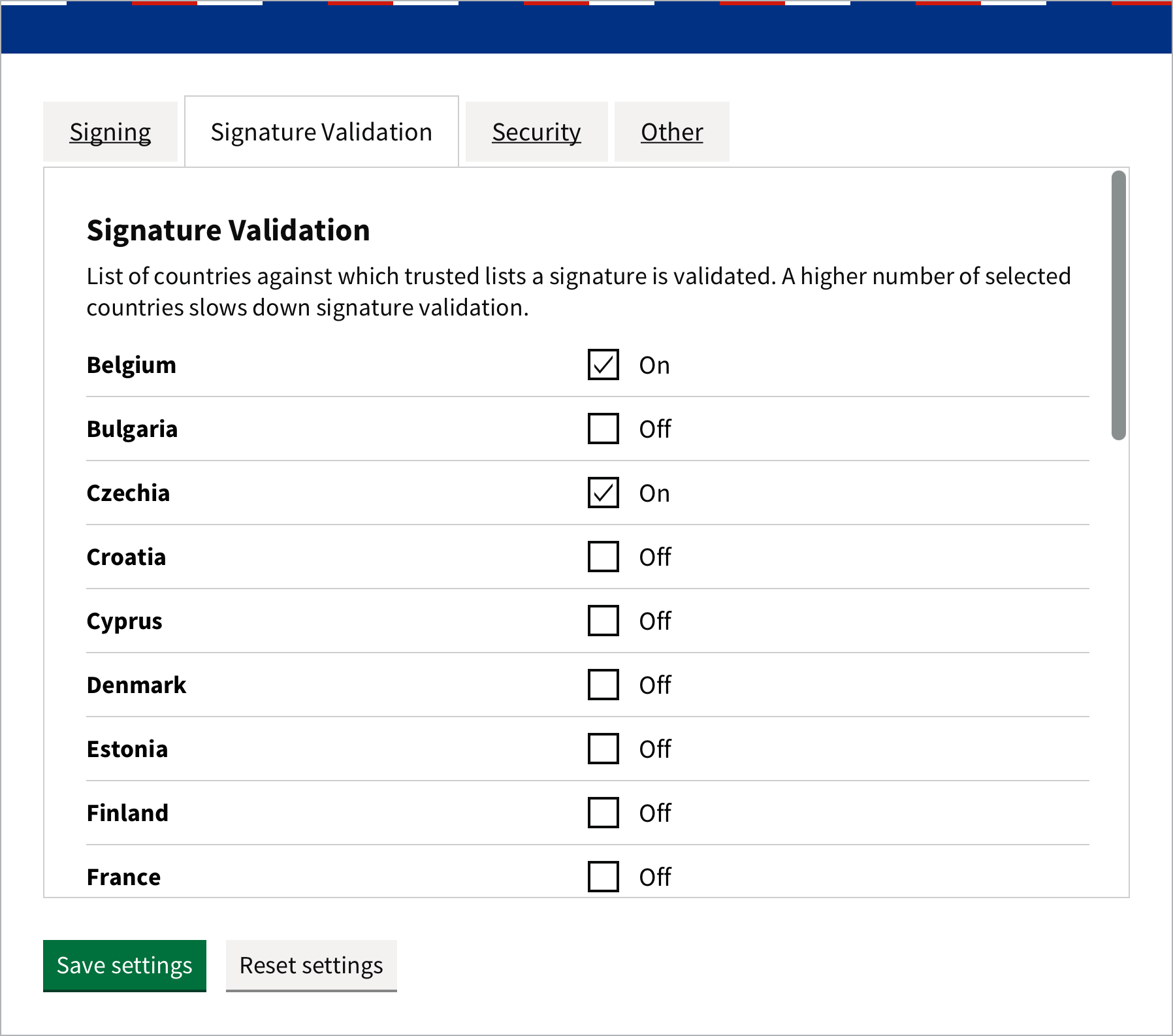
The list of EU countries whose trusted lists Autogram uses to validate signatures. By default, Slovakia, Czechia, Austria, Poland, Hungary, Belgium, the Netherlands and Spain are on. If you receive documents signed with a certificate from another country, turn it on. More countries slow down validation.
Autogram also uses these lists to find out whether the certificate you sign with is qualified. If your certificate is from another country, turn that country on too, otherwise Autogram marks the certificate as non-qualified in the certificate selection.
Security
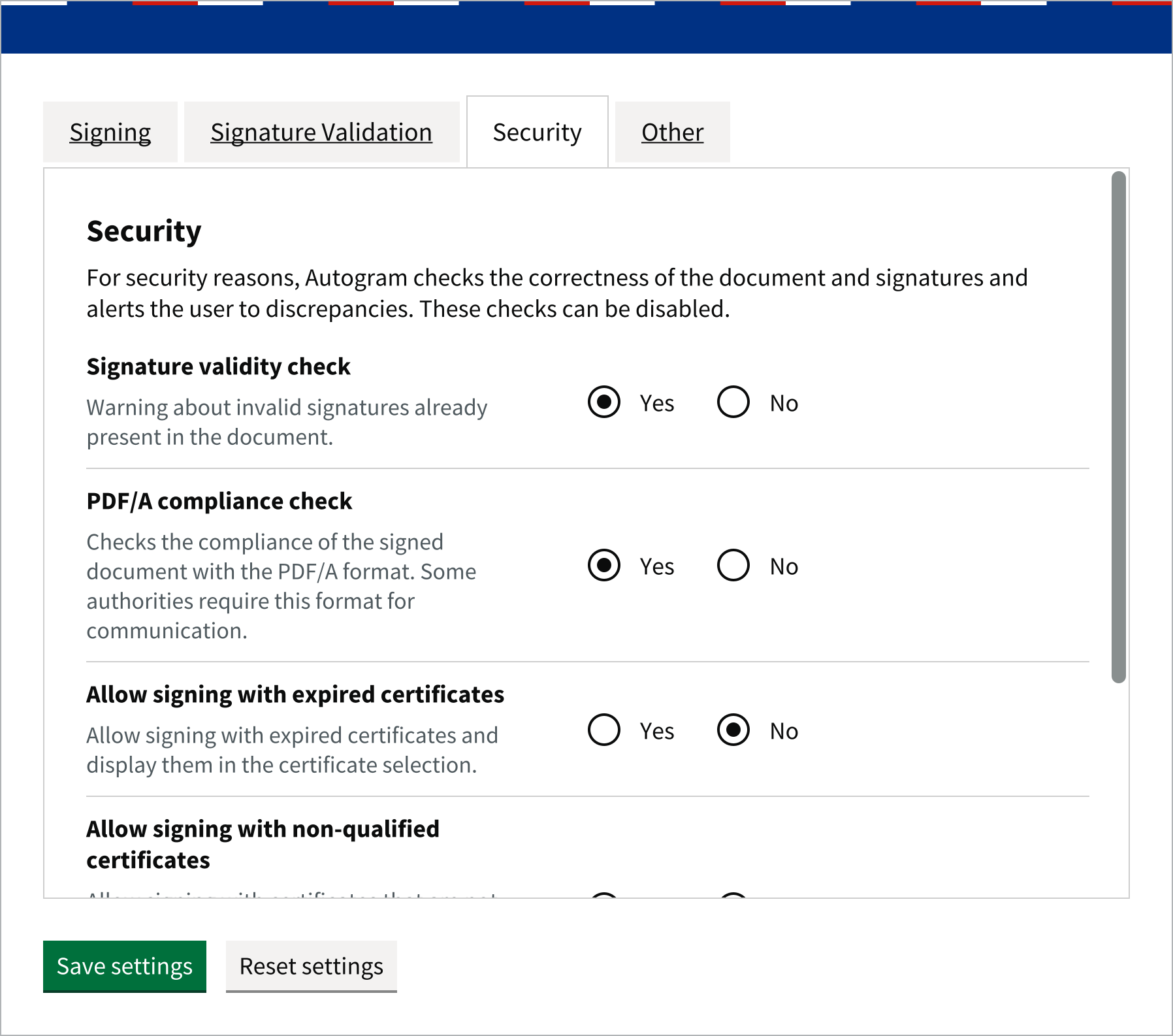
| Setting | What it does | Default |
|---|---|---|
| Signature validity check | Before signing, warns about invalid signatures the document already has. See Warnings before signing. | Yes |
| PDF/A compliance check | Before signing, warns if the PDF is not in PDF/A format. See Warnings before signing. | Yes |
| Allow signing with expired certificates | Expired certificates are also shown in the certificate list. Authorities may not accept a signature made with one. | No |
| Allow signing with non-qualified certificates | A certificate that is not qualified according to the trusted lists can also be chosen in the certificate selection. A signature made with it is not a qualified electronic signature and authorities may not accept it. See Choosing the certificate. | No |
| Display detailed errors | If a file cannot be opened, shows a detailed description of the error. | Yes |
Other
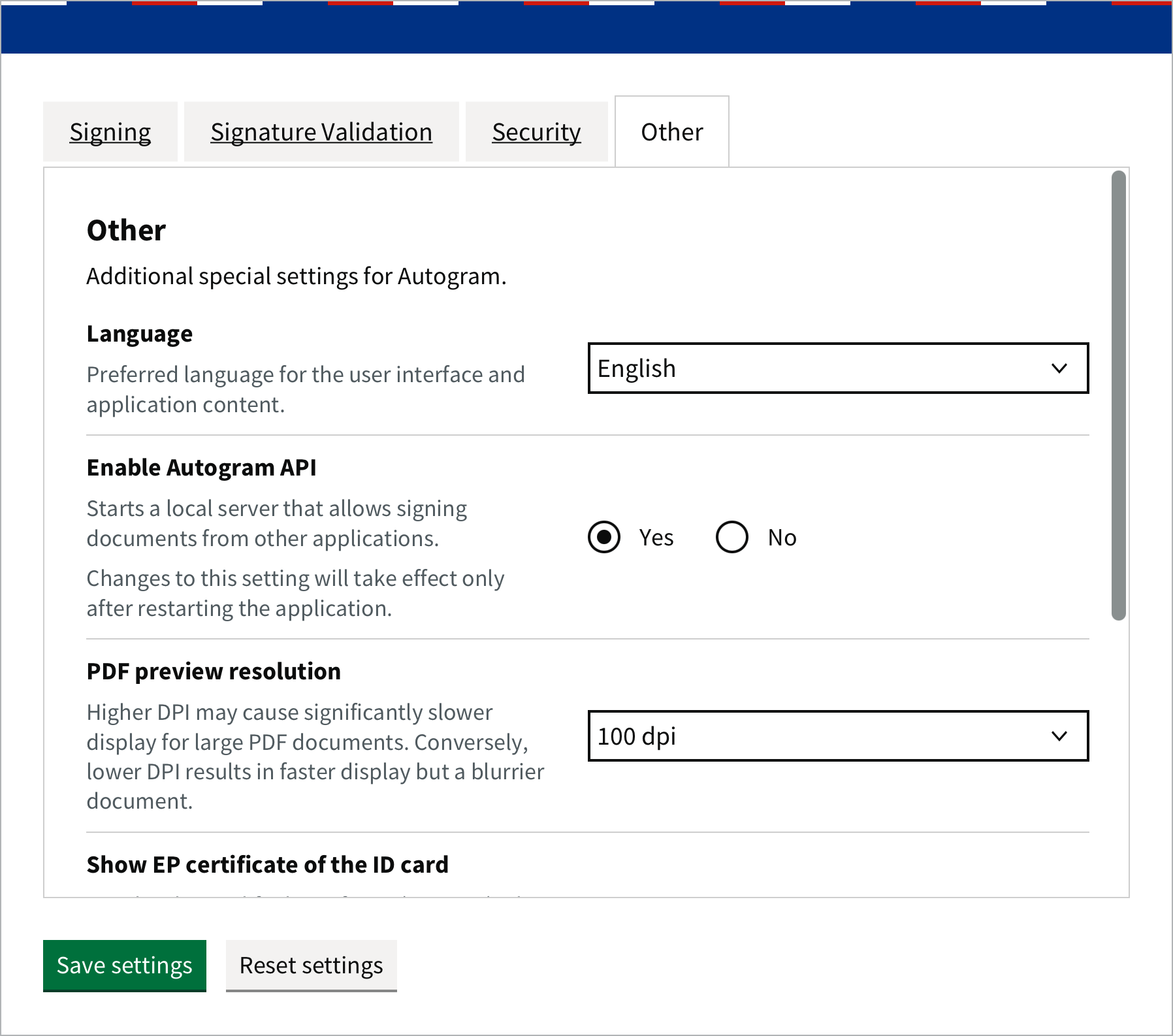
| Setting | What it does | Default |
|---|---|---|
| Language | Autogram’s language: Slovak, English or the system language. | system language |
| Enable Autogram API | Lets websites and other applications send documents to Autogram for signing. Without it, signing on websites does not work. The change takes effect after restarting Autogram. | Yes |
| PDF preview resolution | Sharpness of the PDF preview. A higher resolution is sharper, but large documents are displayed more slowly. | 100 dpi |
| Show EP certificate of the ID card | Also offers the second, non-qualified certificate of the Slovak ID card. Signing with it also needs Allow signing with non-qualified certificates. See Several certificates on one card. | No |
| Path to custom keystore | A file with a certificate and key (JKS) for the From file option. | empty |
| Path to custom driver for PKCS11 token | The driver of a card Autogram does not know. | empty |
| HTTP proxy | A proxy server in the form http://host:port that Autogram uses for all internet communication: downloading trusted lists, checking certificate revocation (CRL, OCSP), timestamps, form resources and update checks. Autogram also trusts certificates trusted by the operating system, so it works with proxies that inspect HTTPS traffic too. Proxy authentication is not supported. The change takes effect after restarting Autogram. |
empty (no proxy) |