Signature with a timestamp
Signature with a timestamp
Autogram can add a qualified timestamp to your signature. A timestamp from a trusted provider confirms when you signed the document. With it, the signature stays verifiable even after your certificate expires.
If you sign a document with a qualified electronic signature with a qualified timestamp, under Section 40(5) of the Slovak Civil Code your signature does not have to be certified, for example by a notary or at a municipal office. This applies only to a signature with a timestamp, see What the law says. For this, Autogram uses freely available qualified timestamps from providers in Belgium and Spain. You pay nothing for them and do not have to order anything.
Turning timestamps on
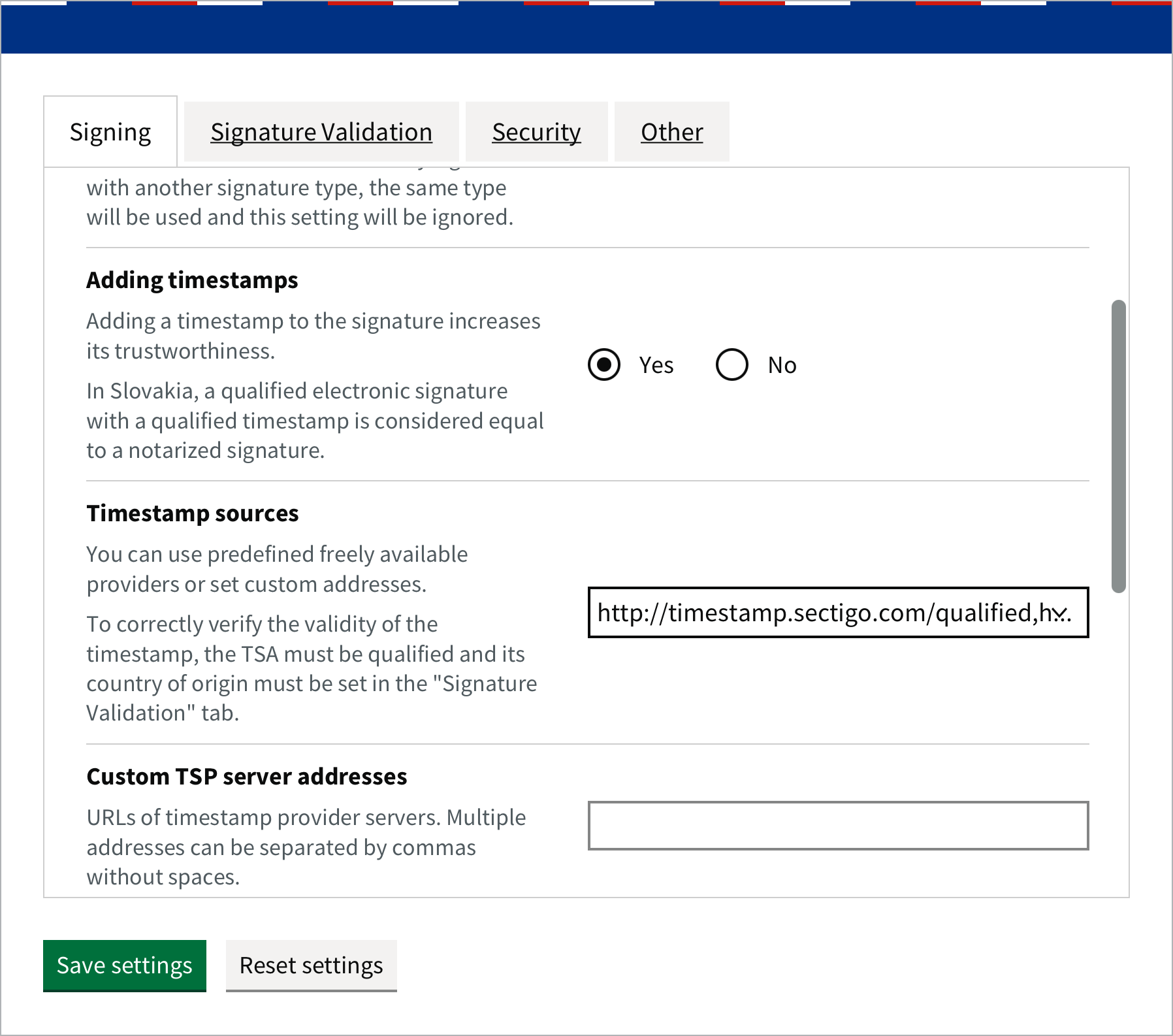
From then on, Autogram adds a timestamp to every signature of a file from your computer, also when signing several documents at once. Adding a timestamp needs an internet connection.
Signing on websites
When you sign on a website, the website decides about the timestamp. If the website requires one, Autogram adds it from the same sources as in your settings, even if adding timestamps is turned off.
How to recognise a signature with a timestamp
When you open a signed document, Autogram shows QES + QTS for a qualified signature with a qualified timestamp. In the picture, Jana Vzorová’s signature has a timestamp, Peter Ukážka’s does not.
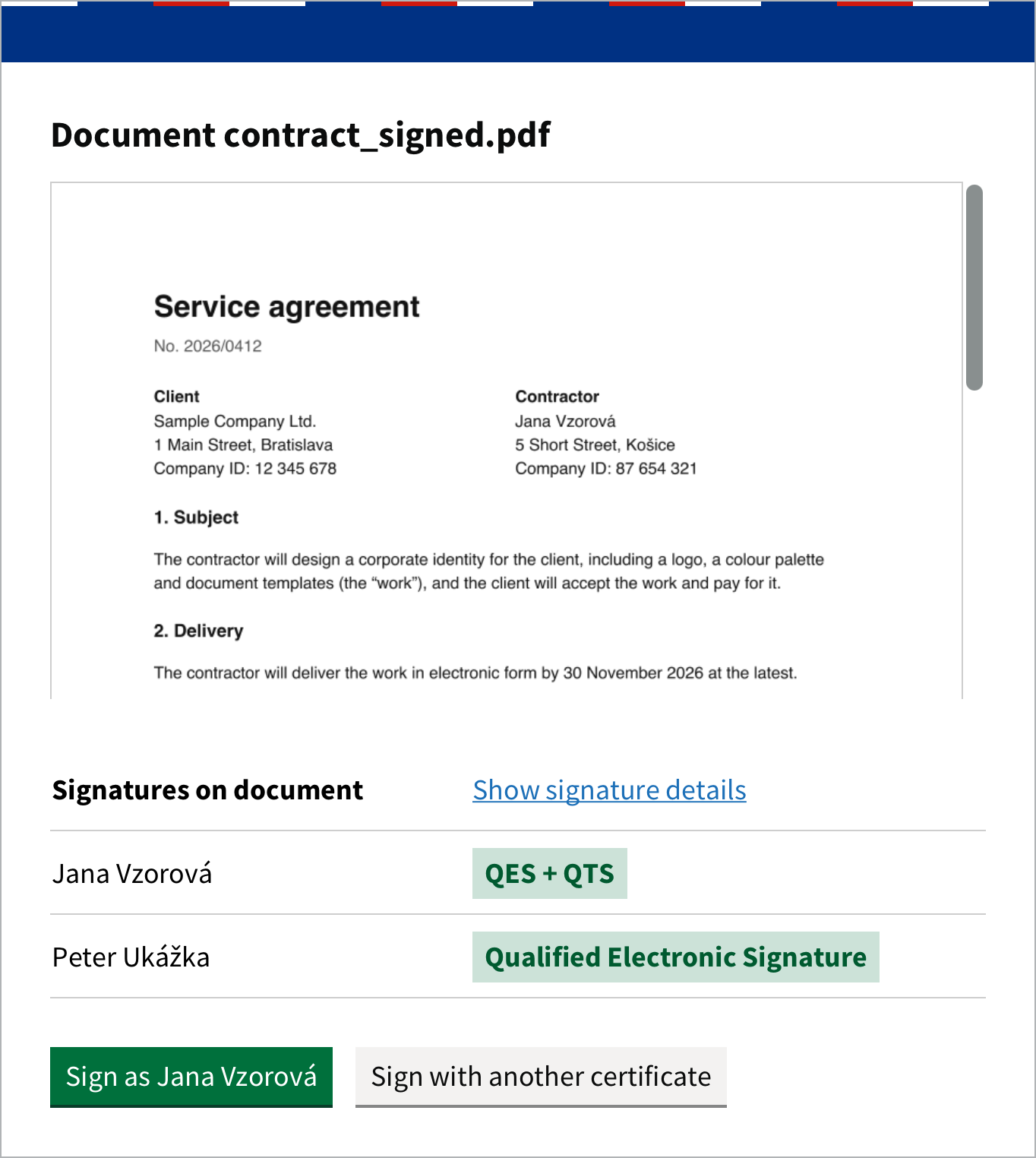
You can also see the timestamps in the signature details. See Verifying signatures.
What the law says
In Slovakia, the effect of an electronic signature is set by Section 40 of the Civil Code (Občiansky zákonník, Act No. 40/1964 Coll., in Slovak):
- Signature without a timestamp. Under subsection 4, a document signed with a qualified electronic signature is in written form, just like a document signed by hand on paper. Autogram shows such a signature as Qualified Electronic Signature.
- Signature with a timestamp. If a timestamp is attached to the signature, under subsection 5 the signature does not have to be certified. Autogram shows such a signature as QES + QTS.
The Civil Code still uses the older terms “guaranteed electronic signature” and “timestamp”. Under Section 17(2) of Act No. 272/2016 Coll. on trust services, they mean a qualified electronic signature and a qualified electronic timestamp.
Your own timestamp provider
If you have a contract with another timestamp provider, choose Use custom TSA server address in Timestamp sources and enter its server address in Custom TSP server addresses. Separate several addresses with commas, without spaces.
For the timestamp to be recognised as qualified during validation, the provider must be qualified and its country must be turned on in the Signature Validation tab. See Settings.